
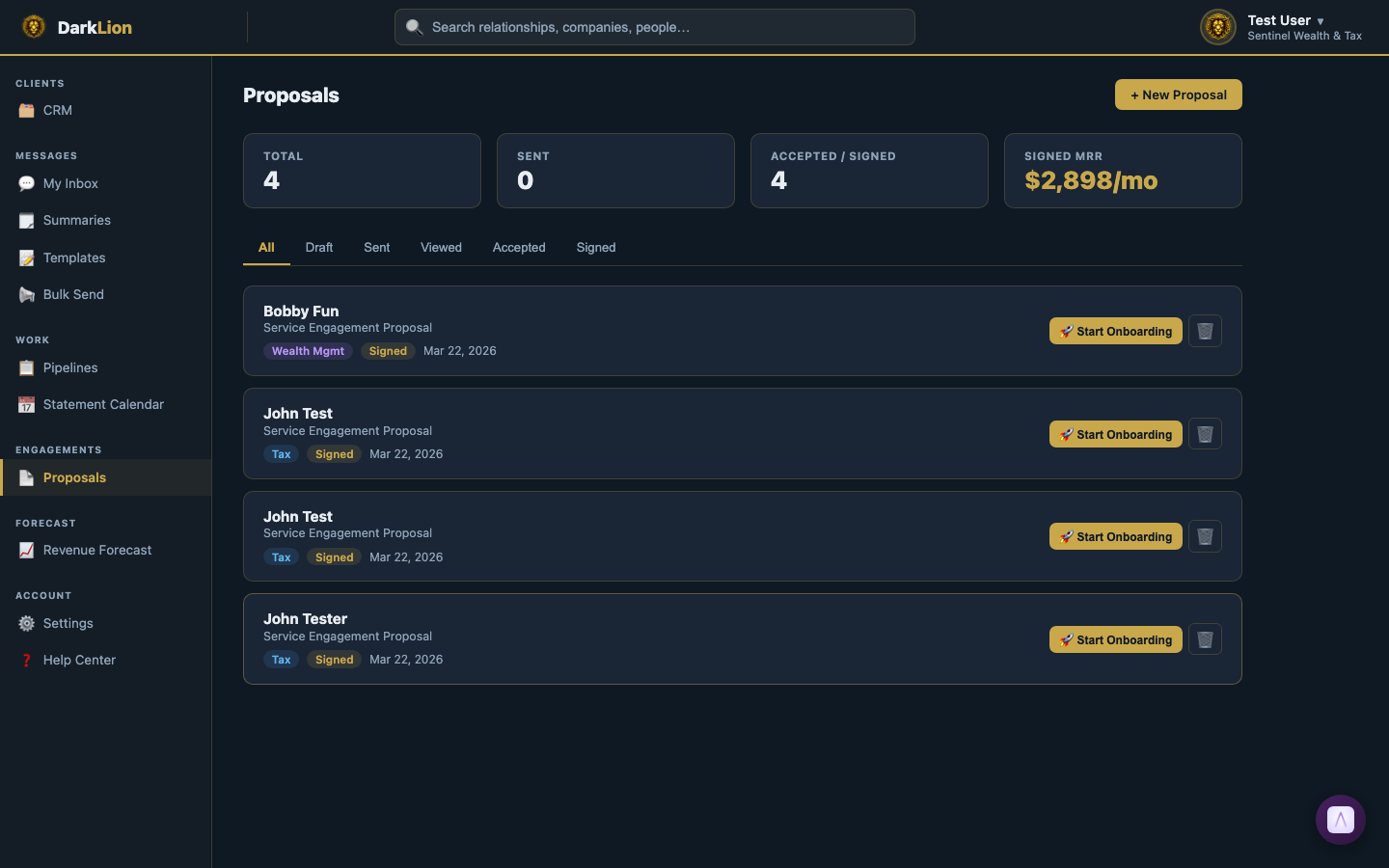
DarkLion's Proposals feature lets you create professional engagement proposals, send them to clients for review, and collect electronic signatures — without leaving the platform.
The Proposals Dashboard
Go to Proposals in the left sidebar. At the top, you'll see key stats:
- Total — All proposals across all statuses.
- Sent — Proposals delivered to clients but not yet signed.
- Accepted / Signed — Proposals the client has agreed to and signed.
- Signed MRR — Monthly recurring revenue from all signed proposals. This is your projected monthly revenue from active engagements.
Below the stats, filter tabs let you view: All | Draft | Sent | Viewed | Accepted | Signed.
Creating a Proposal
- Click + New Proposal.
- Select the Relationship this proposal is for.
- Add service line items: each item has a name, description, and monthly price.
- Set the start date for the engagement.
- Click Preview to see exactly how it looks to the client before sending.
- When ready, click Send.
What the Client Experiences
The client receives an email with a link to view the proposal. No login required — the link takes them directly to a clean, branded page showing:
- Your firm logo and name
- The services offered with descriptions
- The monthly pricing
- Terms and conditions
- A signature area (drawn or typed)
After signing, the client gets a confirmation email with a copy of the signed proposal.
Proposal Status Flow
- Draft — Created but not yet sent.
- Sent — Email delivered to client.
- Viewed — Client opened the proposal link.
- Accepted — Client agreed to the terms.
- Signed — Signature captured. Engagement is live.
Revenue Tracking
Every signed proposal feeds into the revenue forecast. The monthly prices from all signed proposals are summed to calculate your projected MRR (Monthly Recurring Revenue). This gives you a real-time view of how much recurring revenue your signed engagements represent.
Proposals and the CRM
Every proposal is linked to a Relationship. Open any Relationship in the CRM → the Billing tab shows proposals linked to that household. You can see the full proposal history (sent, viewed, signed) without going to the Proposals page.